Introduction
Digital devices have become an important part of everyday life. We use smartphones, computers, tablets, and the internet for work, education, communication, entertainment, and personal tasks. These tools make many activities easier, but they can also create distractions that affect our concentration and productivity.
For example, you might sit down to complete an important task, receive a notification on your phone, and open a social media application for a quick look. Before you realize it, several minutes have passed, and your original task is still unfinished. When this happens repeatedly, even simple responsibilities can take longer than expected.
In my opinion, reducing digital distractions is not about avoiding technology completely. It is about learning to use digital devices with a clear purpose instead of allowing notifications, applications, and online content to control our attention.
The good news is that small changes can make a noticeable difference. By managing notifications, setting screen time limits, organizing your digital environment, and developing healthier habits, you can create more opportunities for focused work and personal relaxation.
In this article, I will explain practical ways to reduce digital distractions and build a more balanced relationship with technology.
1. Identify Your Biggest Digital Distractions
The first step toward reducing digital distractions is understanding what interrupts your attention most often. Different people have different habits, so it is important to identify your personal challenges before making changes.
For some people, social media is the main source of distraction. Others frequently check emails, watch short videos, respond to messages, or browse websites without a specific purpose.
Spend a day observing how you use your devices. Notice which applications you open most frequently, when you tend to lose focus, and what usually causes you to stop working.
You can check the built in screen time features available on your smartphone or computer to review your usage patterns. These reports may help you recognize applications that consume more time than you expected.
Once you understand your habits, choose one or two areas to improve first. You do not need to change everything at once. Focusing on your biggest distractions can make the process easier and more manageable.
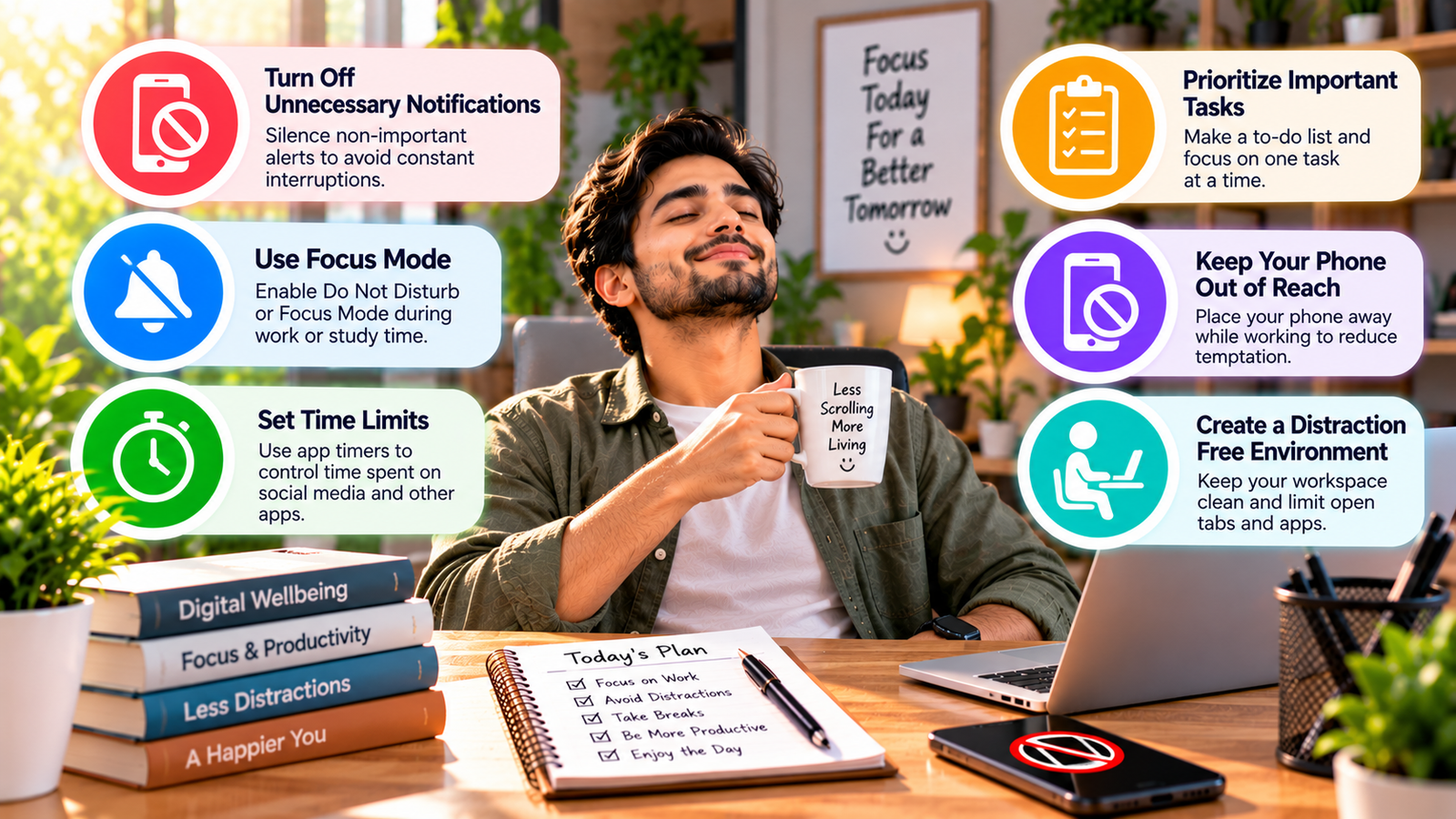
2. Turn Off Unnecessary Notifications
Notifications are one of the most common causes of digital interruptions. A sound, vibration, or message preview can draw your attention away from an important activity, even when you do not need to respond immediately.
Start by reviewing the notification settings on your phone, computer, and tablet. Disable alerts from applications that do not require your immediate attention.
For example, promotional messages, game notifications, shopping updates, and social media activity alerts can often be turned off without affecting your essential communication.
Keep important notifications enabled when they are necessary for work, family responsibilities, or personal safety.
You can also use Do Not Disturb or Focus modes during periods when you need to concentrate. Many devices allow you to create exceptions for selected contacts or urgent calls.
The goal is to make notifications more intentional. Instead of allowing every application to interrupt you, decide which alerts genuinely deserve your attention.
3. Set Specific Times for Checking Your Phone
Checking your phone repeatedly can become an automatic habit. You might unlock your screen whenever you feel bored, face a difficult task, or have a few seconds of free time.
One practical solution is to create specific periods for checking messages and other nonurgent updates.
For example, you could check personal messages during your morning break, lunchtime, and after work. If your job requires frequent communication, establish a schedule that fits your responsibilities.
During focused work sessions, keep your phone out of immediate reach if you do not need it. Placing it in a drawer or another part of the room may reduce the temptation to check it.
You do not need to follow a strict schedule every day. Start with one focused period and gradually build the habit.
Over time, planned phone checks can help you become more deliberate about your digital activities instead of responding to every urge to look at the screen.

4. Create a Distraction Free Workspace
Your digital environment can influence how easily you concentrate. A computer filled with open tabs, constant pop ups, and visible entertainment applications can make it difficult to stay focused.
Begin by organizing your desktop and closing applications that are unrelated to your current task. Keep only the documents, websites, and tools you need.
If you work at a desk, place your phone somewhere that does not constantly attract your attention. You can also use headphones in a suitable environment to reduce background noise.
For home workers, it may help to create a specific area for focused work. Even a small, organized corner can provide a clearer distinction between work and entertainment.
Try to keep your workspace simple rather than filling it with unnecessary digital and physical items.
A distraction free environment does not need to be perfect. The main objective is to make useful activities easier to begin and distracting activities less convenient.
5. Use Screen Time Limits Wisely
Screen time tools can help you understand and manage how long you spend using particular applications. Most modern smartphones include features that display usage reports and allow you to set daily limits.
Start by identifying applications that take up a significant amount of your free time without providing much value.
You might set a daily limit for social media, short video platforms, or mobile games. When you reach the limit, treat the reminder as an opportunity to decide whether you want to continue or move on to another activity.
It is important to choose realistic limits. Reducing your screen time dramatically overnight may be difficult if you rely on your phone for communication or work.
You can gradually lower unnecessary usage and review your progress each week.
Remember that not all screen time is unproductive. Online learning, professional tasks, creative projects, and meaningful communication can be valuable. Focus on reducing distracting usage rather than treating every minute on a device as a problem.
6. Avoid Multitasking With Digital Devices
Many people believe that doing several things at once helps them finish more work. However, frequently switching between tasks can make it harder to maintain attention and may increase the time required to complete demanding activities.
For example, writing an article while checking messages and watching videos can interrupt your thinking. Each time you return to the article, you may need to remember where you stopped and what you planned to write next.
A better approach is to focus on one main task at a time whenever possible.
If you are writing, close unrelated browser tabs and silence unnecessary alerts. If you are studying, keep entertainment applications closed until your planned study session ends.
You can still handle urgent matters when necessary. The purpose is not to avoid every interruption but to reduce unnecessary switching between activities.
Working with a clear focus can make your routine feel more organized and help you use your attention more effectively.
7. Try the Pomodoro Technique
The Pomodoro Technique is a simple time management method that divides work into focused periods followed by short breaks.
A common approach is to work for 25 minutes and then take a five minute break. After completing four work periods, you can take a longer break if your schedule allows.
During each work period, choose one task and avoid unnecessary digital activities. If a distracting thought appears, write it down and return to your work rather than immediately opening another application.
For example, if you need to prepare a report, use one session to research information and another to organize your notes.
You can adjust the timing according to your needs. Some people prefer shorter sessions, while others concentrate better for 40 or 50 minutes before taking a break.
The technique is useful because it gives your work a clear structure. It also creates planned opportunities to check messages or browse the internet without interrupting every few minutes.
8. Unfollow Accounts That Waste Your Attention
Social media feeds often contain a mixture of useful information, entertainment, advertisements, and repetitive content. If your feed constantly encourages you to scroll, it may become harder to control your time online.
Review the accounts and pages you follow. Ask yourself whether their content provides useful information, inspiration, enjoyment, or meaningful connection.
Unfollow or mute accounts that consistently distract you or make your online experience less enjoyable.
You can also remove social media applications from your home screen. This small change creates an extra step before opening them and may help interrupt automatic checking habits.
Another useful option is to access certain platforms through a web browser instead of keeping their applications readily available.
These changes do not mean you must stop using social media. They simply help you create a digital environment that better reflects your priorities.
9. Establish Phone Free Periods
Setting aside phone free periods can help you reconnect with activities that deserve your full attention.
For example, you might keep your phone away during meals, family conversations, reading time, or the first 30 minutes after waking up.
You can also establish a phone free period before bedtime if checking messages or browsing videos tends to keep you awake longer than planned.
During these periods, choose an alternative activity. Read a book, prepare a meal, take a walk, organize your room, or spend time talking with someone.
If you use your phone as an alarm, consider placing it far enough away that you are less likely to start browsing immediately after waking up. Make sure it remains accessible when you need it for safety or essential communication.
Start with one phone free period each day and extend it when the habit becomes comfortable.
The purpose is to create more intentional time for offline activities without making technology seem like something you must completely avoid.
10. Use Website and Application Blockers
Sometimes, knowing that you should avoid a website is not enough. Automatic habits can make it difficult to resist opening distracting platforms, especially when a task feels challenging.
Website and application blockers can provide an additional layer of support. These tools allow you to restrict access to selected websites or applications for a chosen period.
For example, you might block entertainment websites while writing, studying, or completing important work.
Some tools allow you to schedule restrictions during particular hours. Others provide focus sessions that temporarily limit access to selected applications.
Before installing a tool, review its features, permissions, and privacy information. Choose a solution that fits your needs without requiring unnecessary access to personal information.
You can also use built in focus settings on your device if they provide enough control.
These tools are most useful when combined with good habits. They can reduce temptation, but you still need to decide how to use your time productively.
11. Replace Digital Distractions With Better Habits
Removing a distracting habit is often easier when you replace it with another activity. If you usually open social media whenever you feel bored, you may need a simple alternative that provides a similar break without pulling you into endless scrolling.
For example, you could stretch for a few minutes, drink water, walk around your home, or read a few pages of a book.
If you use your phone to avoid difficult tasks, break the task into smaller steps. Completing one manageable action may feel easier than facing a large assignment all at once.
You can also prepare a short list of activities for moments when you feel tempted to browse without a purpose.
These alternatives should be realistic and enjoyable. If your replacement activity feels like another demanding responsibility, you may be less likely to continue it.
The goal is to build habits that support your attention and make your daily routine more satisfying.
12. Review Your Digital Habits Every Week
Reducing digital distractions is an ongoing process. Your habits may change depending on your workload, personal responsibilities, and the applications you use.
Set aside a few minutes each week to review your screen time and reflect on your progress.
Ask yourself which changes were helpful, which distractions continued to interrupt you, and whether your current limits are realistic.
For example, you may discover that notifications were a major problem but that you still spend too much time browsing before bedtime. You can then focus on improving that particular habit.
Avoid judging yourself harshly when you do not follow your plan perfectly. Occasional distractions are normal, and changing automatic habits takes time.
Instead, look for gradual improvements. Spending less time on unnecessary browsing or completing more focused work sessions can be a useful sign of progress.
A flexible approach allows you to adjust your routine as your needs change.
Common Mistakes to Avoid
When trying to reduce digital distractions, it is easy to make changes that are too strict or difficult to maintain.
One common mistake is attempting to eliminate all entertainment from your digital life. Relaxation and enjoyable online activities can be perfectly reasonable when they fit your priorities.
Another mistake is setting unrealistic screen time limits. If your daily routine depends on digital devices, sudden restrictions may be inconvenient and difficult to follow.
It is also important not to replace one distraction with another. For example, deleting one social media application may not help much if you spend the same amount of time browsing another platform.
Finally, avoid expecting immediate results. Focus and attention develop through repeated practice. Small changes that you maintain over time are often more useful than a strict plan that lasts only a few days.
Conclusion
Practical ways to reduce digital distractions begin with understanding your habits and making thoughtful changes to your digital environment. Turning off unnecessary notifications, scheduling phone checks, organizing your workspace, and using screen time limits can help you take greater control of your attention.
In my opinion, the most effective approach is to start small. Choose one distracting habit, decide how you want to change it, and practice the new behavior consistently. Once that change becomes easier, introduce another improvement.
Technology is useful when it supports your goals, helps you communicate, and makes everyday tasks more convenient. The challenge is learning when to use it and when to give your attention to something else.
By creating clearer boundaries, reducing unnecessary interruptions, and making time for offline activities, you can develop healthier digital habits. With patience and consistency, these practical changes can help you create a more focused, organized, and balanced daily routine.